
M2 Casino App Download
Put M2 on your home screen in a couple of minutes. Pick your device below and follow the steps.

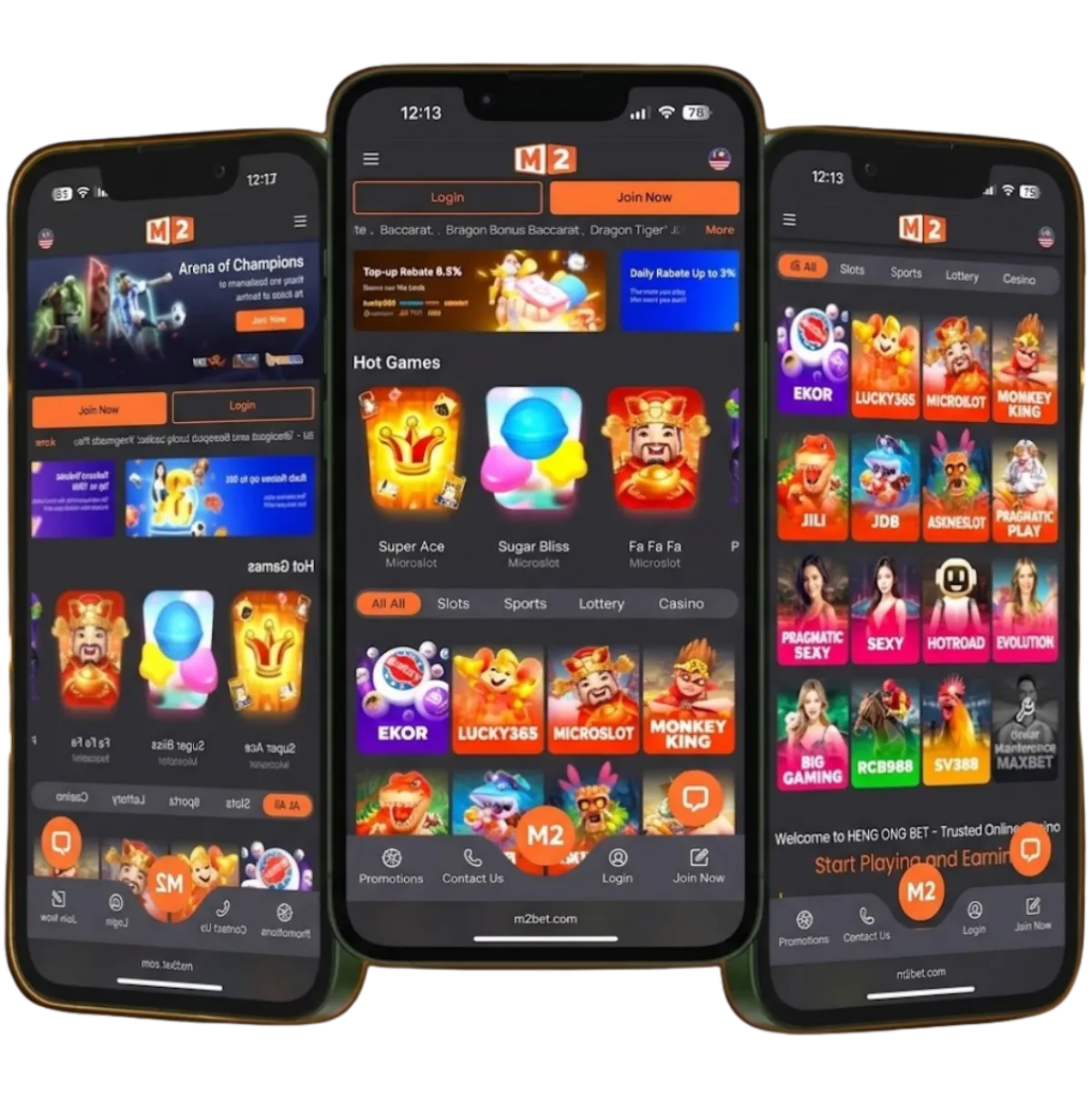
The M2 app puts the whole casino in your pocket: the same account, wallet, games and promotions you get on the website, with biometric login and quicker loading once it's set up. This page explains how to download the M2 Casino app on Android and iPhone, how to add a web shortcut if you'd rather not install anything, and how to keep the app updated, light on storage and safe.
Android
- Tap Download M2 on this page and save the APK file.
- Open the file from your notifications or Downloads folder.
- If asked, allow your browser to install unknown apps in Settings.
- Tap Install, then open M2 and log in.
Works on most recent Android phones. Keep some free storage for game assets.
iPhone & iPad
- Open this page in Safari.
- Tap Download M2 and follow the on-screen prompt.
- If a profile or trust prompt appears, go to Settings › General › VPN & Device Management and trust the M2 developer.
- Prefer not to install? Tap Share › Add to Home Screen to get a one-tap web shortcut instead.
Keep iOS up to date for the smoothest live streams.
M2 Casino APK Download for Android: Step by Step
Because the M2 app isn't listed in the Play Store, Android installs it from an APK file. It sounds technical, but it takes only a few taps.
- Open this page on your phone and tap Download M2. Your browser may warn that this type of file can be harmful. That message appears for every APK outside the Play Store; tap Download anyway only because you're using the official link.
- Wait for the download to finish. Stay on a stable connection so the file isn't cut off halfway.
- Open the file. Tap the notification, or find it in your Downloads folder or the Files app.
- Allow the install. Android will ask you to let that app install unknown apps. See the per-browser steps below.
- Tap Install, wait a moment, then tap Open.
- Log in with your M2 username and password, then switch on biometric login in the app settings.
Allowing "install unknown apps" in each browser
Android gives this permission to the app that opens the APK, not to the whole phone. Menu names differ a little between brands, but the path is usually one of these:
| Opened with | Where to allow it |
|---|---|
| Chrome | Settings › Apps › Chrome › Install unknown apps › Allow from this source |
| Samsung Internet | Settings › Apps › Samsung Internet › Install unknown apps › Allow |
| Other browsers (Firefox, Opera, Edge) | Settings › Apps › the browser's name › Install unknown apps › Allow |
| Files or My Files app | Settings › Apps › the file manager › Install unknown apps › Allow |
The quickest route is to tap Settings on the prompt that appears when you open the APK; it takes you straight to the right switch. Once M2 is installed, you can turn the permission off again for extra safety. If Google Play Protect shows a scan message, let it finish, then continue.
M2 Casino on iOS: Your Options
iPhone and iPad users have two ways to use M2.
Option 1: install from the official link
Open this page in Safari, not a browser inside a chat app, and tap Download M2. Follow the prompts on screen. If your iPhone asks you to trust the developer, open Settings › General › VPN & Device Management, tap the M2 entry and choose Trust. Then return to your home screen and open the app.
Option 2: add a web shortcut
If you'd rather not install anything, the web shortcut is a light alternative:
- Open the official M2 site in Safari.
- Tap the Share icon at the bottom of the screen.
- Scroll down and tap Add to Home Screen, then Add.
An M2 icon appears on your home screen and opens the site full-screen. Android users can do the same from the browser menu with Add to Home screen. Our mobile setup guide covers both platforms in more detail.
App or Browser: Which Should You Use?
| M2 App | Mobile Browser | |
|---|---|---|
| Install needed | Yes, one time | No |
| Fingerprint / Face ID login | Yes | No |
| Promo notifications | Yes | No |
| Game loading | Faster after first launch | Depends on connection |
| Storage used | Some | Almost none |
Both give you the same games, wallet and promotions, from JILI and Pragmatic Play slots to live tables from Evolution and Sexy Baccarat. If you only play now and then, the browser is enough. See what's available on our popular games page.
Updating the M2 App
Updates bring fixes and keep games running smoothly, so don't ignore them.
- In-app prompt: when a new version is ready, the app will usually tell you. Tap Update and follow the steps.
- Manual update: download the latest file from the official link on this page and install it over your current version. Your account stays the same.
- Keep your phone updated too. An up-to-date Android or iOS helps live streams and new games run properly.
Storage and Data Tips
- Leave some free space. Games download extra graphics and sound the first time you open them.
- Use Wi-Fi for the first launch of a new game, then play on mobile data if you like.
- Watch live casino data use. Live video from tables such as Big Gaming or Evolution uses more data than slots. Connect to Wi-Fi for long sessions.
- Clear the cache in your phone's app settings if the app feels slow. This doesn't touch your balance.
- Close background apps before a live game for a smoother stream.
M2 App Safety: Use Only the Official Link
Fake casino apps are a real risk. They can look exactly like the real thing and are built to steal login details or payment information.
- Only download M2 from the official button on this page.
- Never install an APK sent to you on WhatsApp, Telegram or social media, even if it seems to come from a friend or "an agent".
- Don't enter your M2 password in an app you're not sure about. If in doubt, log in through the browser instead.
- Genuine M2 staff never ask for your password or one-time code.
- Switch on two-factor authentication in your account settings for an extra layer of protection.
For more tips on protecting your money, read deposit and withdrawal security.
Uninstalling and Reinstalling the M2 App
A fresh install fixes most stubborn problems. Your balance and history are stored with your account, so nothing is lost.
- Uninstall: on Android, press and hold the M2 icon and choose Uninstall. On iPhone, press and hold, then tap Remove App › Delete App.
- Restart your phone to clear anything left in memory.
- Download again from the official link on this page and follow the install steps above.
- Log in with your usual username and password, and set up biometric login again.
Installation Not Working?
- "App not installed": remove any older M2 version first, then install again.
- Download stops halfway: switch to a stable Wi-Fi connection and retry.
- "There was a problem parsing the package": the file is incomplete. Delete it and download it again.
- Not enough storage: clear some space, then install again.
- App closes on launch: restart your phone and update the operating system.
- Can't log in after installing? See the M2 login guide for fixes.
- Still stuck? Message support 24/7 on WhatsApp or Telegram and tell them your phone model. Help is available in English, Bahasa Malaysia and Mandarin.
Ready to Play?
New to M2? Create a free account first, then install the app and log in. Check the latest promotions, including the daily rebate of up to 10%, and read the top-up and withdrawal guide before your first deposit. M2 is for players aged 18 and over; our responsible gaming page has tips for keeping play fun. More questions? Visit the M2 Casino FAQ.
M2 App FAQ
Is the M2 app free?
Yes. There is no charge to download or use the M2 Casino app.
Why is the M2 app not in the Play Store?
Real-money gaming apps are often unavailable in app stores in Malaysia, so Android players install the M2 APK from the official download link instead.
Android says the file may be harmful. Is it safe?
That warning appears for any app installed outside the Play Store. Only download M2 from the official link on this page, never from a file someone sends you in a chat or group.
How do I allow "install unknown apps" on Android?
When you open the APK, Android asks for permission. Tap Settings, switch on Allow from this source for the browser or file manager you used, then go back and tap Install. You can switch it off again afterwards.
Can I use M2 on iPhone?
Yes. Open the official download link in Safari and follow the prompts. If you prefer not to install anything, add the M2 site to your home screen from the Share menu for one-tap access.
Do I need the app to play?
No. Every game and feature works in your mobile browser. The app mainly adds biometric login, notifications and faster loading after the first launch.
How do I update the M2 app?
When a new version is available, the app usually prompts you. You can also download the latest version from the official link on this page and install it over the old one. Your account and balance are stored online, not on the phone.
Will I lose my balance if I uninstall the app?
No. Your balance, history and settings are linked to your account, not the app. Reinstall from the official link and log in with the same username and password.
Is the M2 app the same as the website?
Yes. The app, the mobile site and the desktop site share one account, one wallet and the same games and promotions.
Get the M2 App
Open a free M2 account, pick a game you enjoy and play at your own pace. Set a budget first and treat every session as entertainment.
Download